A practical e-commerce SEO guide to keyword research, site architecture, product and category optimization, technical controls, links, and measurement.
E-commerce SEO helps online stores earn qualified, sustainable visibility for category, product, and informational searches. This guide explains how to research buyer intent, organize a crawlable catalog, optimize product and category pages, control duplicate URLs, strengthen internal links, and measure the organic traffic that contributes to sales.
The Ultimate Guide to E-commerce Search Engine Optimization
In today’s digital economy, mastering e-commerce search engine optimization is essential for growing your e-commerce business and driving long-term success. Whether you’re building a new ecommerce site or optimizing an existing ecommerce website, following proven ecommerce SEO strategies can significantly increase your visibility in search, boost website traffic, and improve your search engine rankings.
This beginner’s guide to e-commerce SEO walks you through every essential step. From selecting the right ecommerce platform to using the best ecommerce SEO tools, every decision impacts your SEO efforts. If you’re just getting started with e-commerce SEO, it’s crucial to understand the aspects of SEO that matter most—site structure, mobile responsiveness, content quality, and how your site performs in search results.
One of the primary goals of e-commerce SEO is to generate organic search traffic by ensuring your pages are easy for search engines like Google to crawl and index. This allows your content to appear in relevant organic search results. To do this effectively, you must optimize your site for search using proven SEO best practices and tools like Yoast SEO, Google Analytics (which is another free SEO tool), and Google Search Console. Search Console is a free resource from Google Search Central that helps monitor how your site performs in search.
Search engine optimization for e-commerce stores also involves crafting SEO and content strategies that align with search engine algorithms. The eyes of search engines evaluate everything from metadata to product descriptions, so ensuring the content on your website is clean, relevant, and optimized is critical. Off-page SEO tactics like building backlinks and social signals also play a role in how your e-commerce site ranks in results in Google search results.
To further improve the visibility of your e-commerce store, consider every aspect of optimization, including the use of structured data, fast-loading pages, and removing any low-value content from appearing in search. This is especially important if you want to boost your e-commerce performance over time.
Using a reliable SEO tool is key. The right SEO tools help monitor performance, track search engine rankings, and guide strategic improvements. There are many free SEO tools and premium e-commerce SEO tools that can simplify this process. Each tool provides insight into how search engines see your website, helping you make data-driven decisions.
If you’re new to this space, a beginner’s guide or a people search guide to e-commerce SEO can help you get started. These resources simplify complex strategies into actionable steps. The world of e-commerce SEO may seem overwhelming at first, but with the right guidance, you can use e-commerce SEO to bring more customers to your e-commerce website and build long-term success.
The world of e-commerce is highly competitive, and SEO for e-commerce plays a vital role in standing out. Every e-commerce SEO guide emphasizes the importance of making your site easy for search engines to crawl while enhancing user experience. Your SEO efforts must be consistent, strategic, and aligned with the goal of ecommerce SEO: attracting, engaging, and converting customers through search.
Whether you’re aiming to boost your e-commerce visibility or looking for SEO tools to help you scale, know that SEO comes to SEO strategy, execution, and ongoing analysis. When done right, ecommerce SEO best practices allow your ecommerce platform to integrate seamlessly with ecommerce growth tactics, helping you attract more traffic to your ecommerce site and ultimately boost your ecommerce sales.
By implementing these essential ecommerce SEO practices and monitoring results in Google search, you can ensure your site performs in search, outpaces the competition, and becomes a leading destination in the world of ecommerce SEO.
What Is E-commerce SEO?
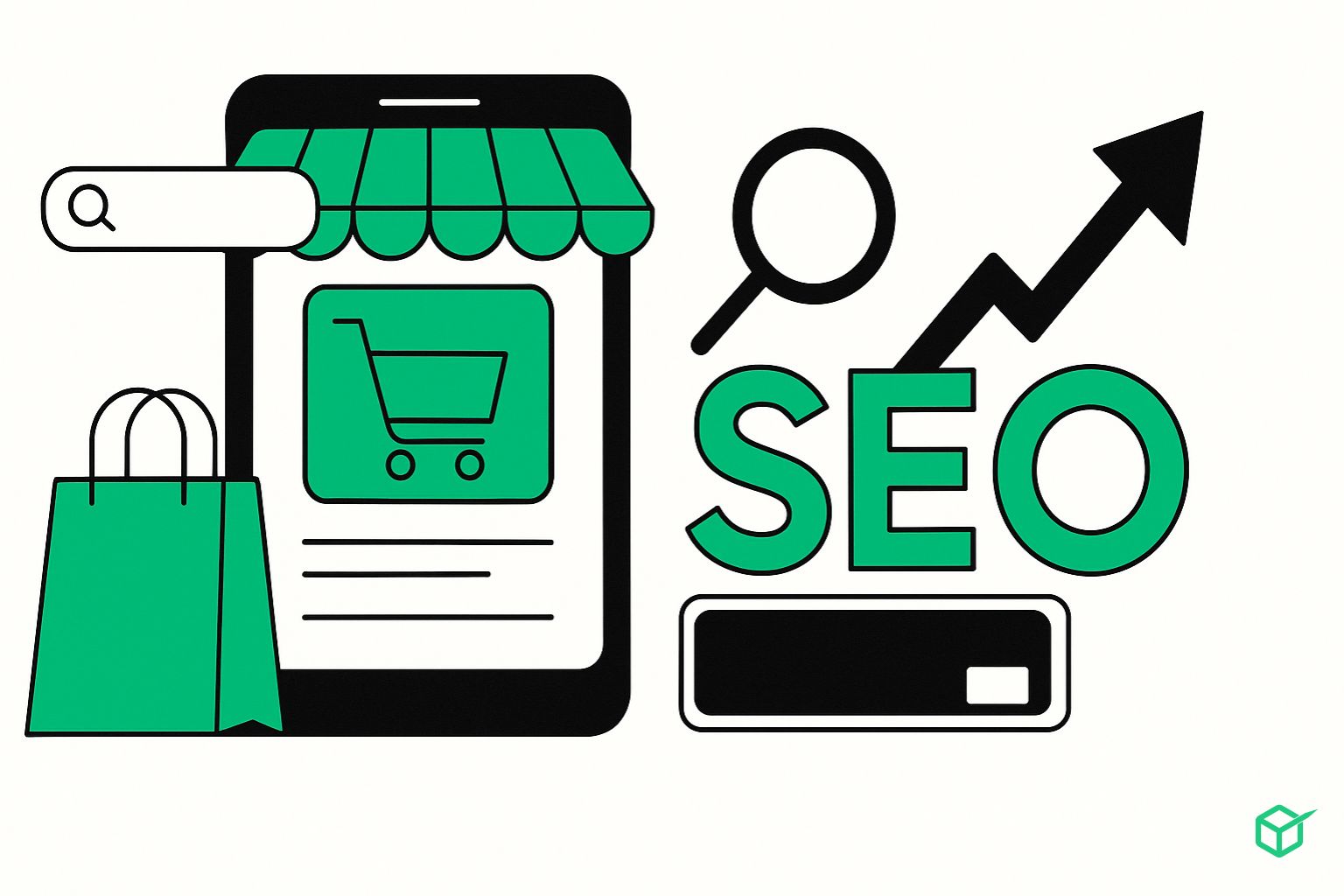
E-commerce SEO is the process of optimizing an online store to rank higher in organic (non-paid) search results on platforms like Google and Bing. The goal is to increase your store’s visibility and attract more potential buyers, without relying on paid advertising.
For example, when someone searches for a product, search engine results pages (SERPs) often show both paid ads and organic listingsE-commercece SEO focuses on helping your store appear in those organic spots.
Key Ecommerce SEO Tasks Include:
- Conducting keyword research to understand what shoppers are searching for
- Optimizing product and category pages around target keywords
- Enhancing site architecture for better crawling and navigation
- Creating valuable, relevant content
- Earning backlinks from reputable external websites
- And more
Why is e-commerce SEO Important?
SEO plays a vital role in the success of e-commerce websites. A higher ranking in search results increases your store’s exposure, which can directly lead to more traffic and higher sales.
Here’s why e-commerce SEO matters:
- Cost-effective traffic: It brings in customers without requiring ongoing ad spend
- Greater trust: Users tend to click on organic results more than paid ads, boosting your store’s credibility
- Competitive advantage: Many online stores are poorly optimized—SEO can help you stand out
Tips for Successful SEO in E-commerce
Perform Keyword Research
Keyword research is the foundation of effective e-commerce SEO. It involves identifying the search terms potential customers use when looking for products online. Optimizing your product and category pages with these keywords can help your site appear in relevant search results and attract more qualified traffic.
A critical aspect of keyword research is understanding search intent—the reason behind a user’s search query. Pages that align with the user’s intent have a higher chance of ranking well and driving conversions.
Understand Search Intent
There are four main types of search intent:
- Navigational: The user wants to find a specific website or page (e.g., “Walmart login”).
- Informational: The user is looking to learn something (e.g., “how much food to feed my dog”).
- Commercial: The user is researching products before making a purchase (e.g., “best dry dog food”).
- Transactional: The user is ready to buy (e.g., “buy dog food online”).
For e-commerce websites, commercial and transactional keywords are the most valuable, as they indicate strong purchase intent.
Use Keyword Tools to Discover Opportunities
Start by entering a general product term (e.g., “dog food”) into a keyword research tool. Look for related keywords that match your product offerings. For example, if you have a page for dry dog food, targeting the keyword “dry dog food” makes sense.
Filter keywords by:
- Intent: Focus on commercial and transactional terms.
- Search volume: Indicates how many people are searching for the keyword each month.
- Keyword difficulty: Shows how competitive it is to rank for that term.
If your site is new, prioritize keywords with lower difficulty scores (under 30 is a good starting point) to improve your chances of ranking.
Use Google and Amazon Autocomplete for Ideas
Autocomplete features on platforms like Google and Amazon provide insight into what users are actively searching for. Simply type your product name into the search bar, and these platforms will suggest popular, related searches.
To get a wider range of ideas:
- Add a space before or after your keyword
- Try adding a letter at the end of your keyword.
- Scroll down to check the “Related searches” section on Google’s results page.
These methods can help uncover long-tail keywords and niche phrases relevant to your product categories.
Browse Reddit for Organic Keyword Ideas
Reddit is a valuable, often overlooked source for keyword research. Search for your product on Reddit to find active communities discussing it. Observe how users describe products, what terms they use, and what questions they ask.
For example, within pet food discussions, you might frequently see terms like “grain-free,” “dry food,” or “wet food.” These naturally occurring phrases can be used to enhance your product descriptions or content strategy.
Monitoring subreddits regularly also helps you spot emerging trends and new topics before your competitors do.
Analyze Competitor Keywords
Another effective strategy is to analyze what keywords your competitors rank for. Enter a competitor’s domain into a keyword analysis tool to see which search terms are driving traffic to their site.
Focus on keywords that:
- Are relevant to your product offerings
- Have achievable difficulty scores.
- Show clear commercial or transactional intent.
By understanding your competitors’ keyword strategies, you can identify gaps, improve your targeting, and build a more competitive SEO approach.

Improve Your Site’s Architecture
Why Site Architecture Matters
Site architecture refers to how you organize the pages, categories, products, and content on your e-commerce website. It’s a core part of technical SEO and directly impacts how easily search engines and users can navigate your site.
An effective site architecture:
- Helps search engines crawl and index all of your important pages
- Improves the user experience by making navigation intuitive
- Distributes link equity (ranking power) across key pages, improving SEO performance
How to Optimize Site Architecture
A good rule of thumb is to structure your site so that any product page is reachable from the homepage within just a few clicks—ideally, no more than three.
This structure often looks like:
Homepage → Category Page → Product Page
Each category page should link to a specific group of products, and your homepage should link directly to all main category pages. This flat hierarchy ensures both users and search engines can access all important content quickly.
Use Clear, Keyword-Rich Categories
When defining your categories, incorporate relevant keywords that match search intent. This not only supports SEO but also helps users find what they’re looking for faster.
For example, if your store sells pet food, category names like “Dry Dog Food” or “Grain-Free Cat Food” are more effective than vague labels like “Food” or “Products.”
Control What Gets Indexed
Not every page on your e-commerce site should appear in search results. Pages like order confirmations, thank-you pages, or internal search results offer no value to external users and should be excluded from indexing.
You can do this by adding a noindex tag to the HTML of those pages. This tells search engines not to include them in their index, while still allowing the pages to function within your customer journey.
Optimize for On-Page SEO
On-page SEO focuses on optimizing individual pages of your e-commerce site to help them rank higher in search engine results. For e-commerce websites, this typically means optimizing product pages and category pages.
The exact changes you can make may vary depending on your platform (e.g., Shopify, WooCommerce, Magento), but the key principles remain the same.
Optimize Title Tags and Meta Descriptions
Title tags and meta descriptions are essential for both SEO and user experience. The title tag is what appears as the clickable link in search engine results, while the meta description appears beneath it.
Although Google sometimes rewrites these elements, it’s still important to craft them carefully.
Best practices for title tags:
- Keep them under 60 characters
- Use a primary keyword naturally.
- Clearly describe the content of the page.
- Make them compelling to improve the click-through rate.
Enhance your title tags by:
- Mentioning promotions or discounts (e.g., “25% Off”)
- Including unique value propositions (e.g., “Free Shipping” or “Best-Selling”)
- Highlighting product features or benefits
Best practices for meta descriptions:
- Limit them to around 105 characters
- Make each one unique. ue
- Include target keywords
- Emphasize key benefits or offers to increase appeal.
Create an SEO-Friendly URL Structure
Your URL structure should be clean, readable, and descriptive. A well-structured URL helps users understand where they are and assists search engines in determining what your page is about.
Tips for better URLs:
- Keep them short and relevant
- Use hyphens instead of underscores.
- Use lowercase letters
- Avoid including dates or irrelevant numbers.s
- Include target keywords naturally.
Example:
yourstore.com/dry-dog-food is better than yourstore.com/category?id=12345
Optimize Product Images
Product images can drive additional traffic through image search and enhance your overall page experience.
Steps to optimize images:
- Use descriptive file names (e.g., grain-free-dog-food.jpg)
- Add meaningful alt text that describes the image.
- Compress images to reduce file size and speed up loading times.
Alt text also improves accessibility for users who rely on screen readers, making your site more inclusive.
Include Unique Content on Every Page
Having original content on each product and category page increases your chances of ranking and reduces the risk of duplicate content issues.
Each product page should include:
- A specific product name
- A short, benefit-driven description (50–100 words)
- A bullet-point list of features (e.g., ingredients, size, benefits)
- A longer paragraph explaining key selling points and use cases
When duplicate content is unavoidable (such as for multi-language versions of pages), use hreflang tags to tell Google which version is intended for which audience.
Strengthen Internal Linking
Internal linking helps distribute SEO value across your site and encourages users to explore more of your content.
How to improve internal linking:
- Add “Related Products” sections to product pages
- Use links to connect blog content with relevant product pages.
- Group complementary items (e.g., product bundles or “Buy the Look” sections)
This not only boosts SEO but also enhances the shopping experience and can increase conversions.
Add Schema Markup
Schema markup is a type of structured data that helps search engines understand your content better. Fore-commerce, adding product schema can make your listings stand out with rich results like star ratings, pricing, and stock status.
Key elements of product schema:
- Product name and image
- Brand and condition
- Price and availability
- Aggregate rating (if applicable)
This markup can be added to your product page HTML. It enhances your listing visually in the search results and can improve your click-through rate.
Manage Your Site’s Technical SEO
Use HTTPS for Site Security
Ensure your website uses HTTPS to protect user data and improve trust signals. Check for a padlock in the address bar. If it’s missing, install an SSL certificate via your hosting provider.
Optimize for Mobile-First Indexing
Implement responsive design, readable text sizes, and sufficient spacing between clickable elements to ensure your store performs well on mobile devices.
Submit Your Sitemap to Google
Locate your sitemap at /sitemap_index.xml or /sitemap.xml and submit it via Google Search Console to ensure search engines index all your site pages efficiently.
Improve Page Speed
Use PageSpeed Insights to audit loading times. Improve speed by minifying code, using a CDN, and optimizing large files. Don’t focus solely on scores—prioritize user experience.
Identify and Fix Technical SEO Issues
Use tools like Semrush Site Audit to detect duplicate content, broken links, crawl errors, and Core Web Vitals issues. Regular audits help maintain SEO health over time.
Build High-Quality Backlinks
Turn Unlinked Mentions into Links
Use tools like Semrush Brand Monitoring to find mentions of your store that don’t link back. Reach out and request proper link attribution.
Perform a Backlink Gap Analysis
Use the Backlink Gap tool to find competitor backlinks you’re missing. Reach out to those domains and offer reasons why they should link to your e-commerce site.
Request Links from Suppliers and Distributors
Ask your product suppliers or distributors to list and link to your e-commerce site as an official reseller to boost authority and trust.
Track and Optimize Your E-commerce SEO Results
Monitor Keyword Rankings with Semrush
Use the Position Tracking tool to see how your keyword rankings evolve. Compare visibility with competitors and track wins and losses over time.
Use Google Search Console for Indexing and Errors
Identify indexing problems and other site issues that affect search performance. Keep your technical health in check with this free tool.
Analyze Visitor Behavior with Google Analytics
Track where your traffic comes from and how users engage with your site. Use this data to optimize landing pages and improve conversions.
Conclusion
Optimizing your e-commerce site for SEO isn’t just a one-time task—it’s an ongoing strategy that can dramatically improve your visibility, traffic, and conversions over time. From keyword research and on-page optimization to technical SEO and backlink building, each component plays a critical role in your online store’s success.
But ranking well on Google doesn’t happen overnight. You’ll need the right tools, data, and consistent execution. With platforms like Semrush, Google Search Console, and Google Analytics, you can analyze performance, identify gaps, and stay competitive in your niche.
Invest in your SEO now, and you’ll build a long-term traffic engine that doesn’t rely on paid ads. That’s the power of e-commerce SEO done right.
Frequently Asked Questions (FAQs)
What is e-commerce SEO?
E-commerce SEO is the process of optimizing your online store so that it ranks higher in search engine results. It includes keyword research, optimizing product pages, improving technical elements, and building backlinks.
Why is SEO important for e-commerce?
SEO helps drive organic traffic to your e-commerce store. Unlike paid advertising, SEO brings in free, long-term visitors who are already searching for what you sell, making it a highly cost-effective strategy.
How long does it take to see results from e-commerce SEO?
Typically, it can take 3 to 6 months to start seeing significant SEO results. The timeline varies based on your competition, current site health, and how aggressively you implement SEO tactics.
What are the best tools for e-commerce SEO?
Some of the most powerful tools include:
- Semrush (for keyword research, backlink audits, and site audits)
- Google Search Console (to monitor indexing and technical health)
- Google Analytics (to understand user behavior and traffic sources)
How do I build backlinks for my e-commerce site?
You can build backlinks by:
- Reaching out to sites that mention your brand but don’t link to you
- Conducting competitor backlink analysis
- Asking suppliers to link to you as an official retailer
2026 E-commerce SEO Operations Checklist
Catalog SEO is not finished when product titles and descriptions are optimized. Inventory, filters, promotions, reviews, and merchandising rules change URLs every day. The following operating checklist helps marketing, development, and merchandising teams protect organic visibility as the store grows.
Control faceted-navigation URLs
Filters for color, size, brand, price, availability, and sort order can create thousands of combinations. Decide which combinations deserve dedicated indexable pages based on search demand and business value. Keep the rest out of XML sitemaps, avoid linking to unnecessary combinations through crawlable URLs, and use consistent canonical rules. Do not apply a blanket canonical or robots rule until you understand how shoppers and search engines use each path.
Create static, optimized landing pages for valuable combinations such as a popular brand within a major category. Give each approved page a stable URL, unique heading, useful copy, relevant products, self-referencing canonical, and internal links from nearby hubs. This is more reliable than expecting an arbitrary filter URL to rank.
Handle product variants consistently
Choose whether color, size, material, or configuration variants need separate URLs. A separate page is useful when the variant has independent search demand, substantially different content, or a distinct offer. Otherwise, consolidate signals on one primary product URL and let shoppers select variants on the page. Keep internal links, canonicals, structured data, and XML sitemaps aligned with the same decision.
Create rules for out-of-stock and discontinued items
Temporarily unavailable products should usually stay live when they are expected to return. Keep useful specifications and reviews visible, explain availability, offer restock notifications, and recommend close alternatives. For a permanently discontinued item, choose the response according to user value: retain the page if it remains useful, redirect it to a genuinely equivalent successor, or return a clear 404 or 410 when no relevant replacement exists. Avoid redirecting every removed product to the homepage.
Improve category pages as shopping destinations
Category pages often carry the strongest commercial opportunity. Use a descriptive title and heading, concise introductory guidance, helpful filters, visible inventory, crawlable product links, and short buying advice that supports a decision. Place long educational material below the product grid or link to a dedicated guide so shoppers can browse without wading through filler.
Merchandising order matters too. Keep best sellers and in-stock products discoverable, but do not remove internal links to stable products every time a campaign changes. Build persistent paths through parent categories, breadcrumbs, related-product modules, brand pages, and editorial guides.
Validate product information and structured data
Product structured data should match what visitors can see: name, offer, price, currency, availability, rating, and other supported properties. Validate representative templates and monitor enhancement reports after releases. Correct markup can make pages eligible for richer search features, but eligibility does not guarantee that a feature will appear.
Keep feed data, on-page data, and checkout reality synchronized. Price or availability mismatches undermine shopper trust and can create platform issues. Assign an owner for feed diagnostics, schema errors, and template changes so problems are fixed before they affect a large share of the catalog.
Measure organic performance by page type
Separate category, product, brand, editorial, and support pages in reporting. Track non-branded impressions, clicks, organic landing sessions, add-to-cart actions, checkout starts, revenue, and margin where available. Watch index coverage and crawl patterns alongside commercial outcomes. A technical change that increases indexed URLs is not a success if those pages add no demand or revenue.
- Review top organic landing pages and lost clicks each week.
- Audit sitemap URLs, canonicals, status codes, and indexability after catalog releases.
- Compare mobile and desktop conversion behavior.
- Annotate migrations, navigation changes, feed changes, and major promotions.
- Refresh priority categories before peak seasonal demand.
- Consolidate overlapping pages that compete for the same query.
Coordinate SEO with merchandising and development
Document which templates are indexable, how canonicals are generated, which filters create crawlable links, how removed products are handled, and when sitemaps update. Add SEO checks to release QA instead of discovering problems after launch. A short shared rulebook prevents catalog growth from turning into crawl waste, duplicate pages, and broken customer journeys.
The most effective e-commerce SEO program treats discoverability, product data, user experience, and conversion as one system. When those teams share rules and measurements, organic traffic is more likely to reach products that are available, useful, and ready to sell.